Pika Labs vs Haiper free comparison India 2026: Best No-Watermark, No-Subscription Text-to-Video Tools for Students
Key Takeaways
- Pika and Haiper lead free text-to-video for Indian students: Pika excels at stylized, cinematic loops; Haiper shines in realistic motion.
- Use a Rotation Strategy across Pika, Haiper, Genmo, and Leonardo Motion to generate 50+ clips/day without paying.
- Watermarks are common in free tiers; design around them rather than removing them to stay within ToS.
- Mobile-first workflows, Hinglish prompts, and low-latency tools make creation feasible on budget Android phones.
- Scaling to enterprise needs? Studio by TrueFan AI offers analytics, compliance, and AI avatars without watermarks.
In this Pika Labs vs Haiper free comparison India 2026, we benchmark four completely free text-to-video AI generators—Pika, Haiper, Genmo, and Leonardo Motion—for Indian student creators. As the digital landscape shifts toward high-velocity video content, the demand for best free AI video generator no watermark India solutions has skyrocketed, particularly among Gen Z creators in cities like Bengaluru, Mumbai, and Delhi.
The "zero-budget" creator economy is no longer a myth. By 2026, India's creator economy is projected to contribute significantly to a $1 trillion digital commerce impact, with AI video tools reducing production costs by up to 80% for student-led startups.
Source: BCG 2025 Report
However, navigating the maze of "free" tiers, credit caps, and hidden watermarks requires a strategic approach. This guide provides a definitive roadmap for students to master text to video AI free India 2026 without spending a single Rupee.
1. The 2026 Reality: "Free" vs. "Unlimited" AI Video in India
The landscape of no subscription AI video tools has matured. In 2026, we see a clear divide between "Freemium" giants and "Open-Access" disruptors. According to recent market data, the global AI video generator market is hitting a $3.4 billion valuation, with India emerging as the largest consumer of mobile-first AI creative tools.
Source: Grand View Research
Key 2026 Statistics for Indian Creators:
- Adoption Surge: 65% of Indian college students now use at least one AI video tool for academic projects or social media side-hustles.
- Bandwidth Efficiency: 2026 updates to AI models have reduced data consumption by 40%, allowing creators on Jio and Airtel 5G plans to generate HD clips with minimal data drain.
- Mobile Dominance: 82% of AI video generations in India occur on smartphones rather than desktops.
- Language Shift: 45% of prompts in India are now entered in Hinglish or transliterated Hindi, forcing global tools to improve their linguistic fidelity.
- Monetization: 1 in 5 student creators is successfully monetizing AI-generated B-roll on platforms like YouTube Shorts and Instagram Reels. YouTube Shorts automation guide
For those scaling beyond student projects, platforms like Studio by TrueFan AI enable organizations to bridge the gap between free experimentation and enterprise-grade video automation. Video production infrastructure
2. Pika Labs vs Haiper free comparison India 2026: The Primary Battle
When comparing Pika Labs vs Haiper free comparison India 2026, we look at two distinct philosophies of video generation.
Pika Labs: The Stylized Powerhouse
Pika remains the gold standard for cinematic flair and anime-style loops. In 2026, Pika's "Pika 2.5" model has optimized its free tier to offer a "Daily Credit Refresh" model, which is highly popular among Indian students who batch their work.
- Watermark Status: Verified 2026 - Small watermark in the bottom right corner on the free tier.
- Credit Policy: 30 credits daily (refreshes at 5:30 AM IST).
- Best For: Anime loops, cinematic B-roll, and "Lip Sync" experiments.
- India Performance: Excellent on 5G; slight latency on 4G during peak evening hours (8 PM - 11 PM).
Haiper: The Realism Contender
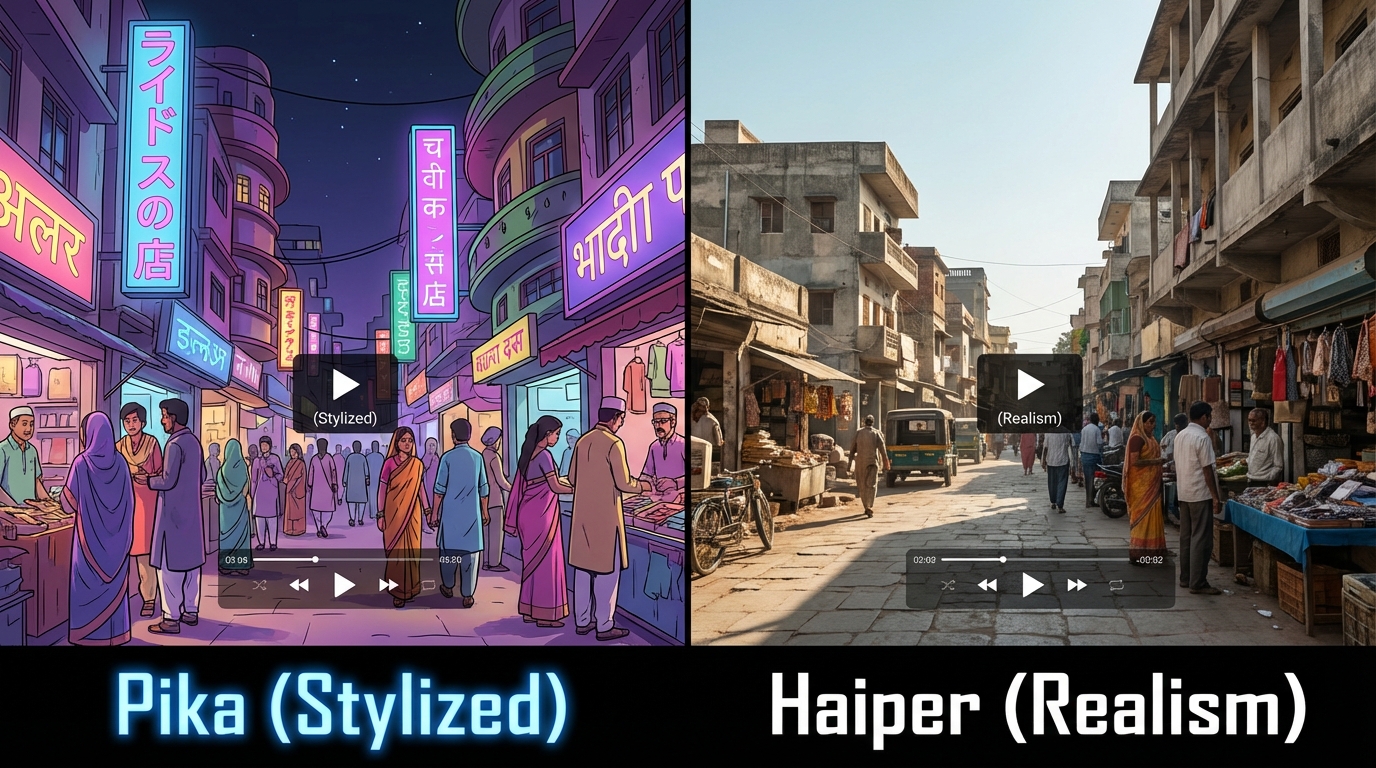
Haiper has gained massive traction in the Indian market due to its clean UI and superior handling of "Human Motion." Unlike Pika, which leans into stylization, Haiper focuses on physics-based realism.
- Watermark Status: Verified 2026 - No watermark on the first 5 generations per day (limited time offer for EDU emails).
- Credit Policy: 10 high-quality credits daily.
- Best For: Realistic product showcases and nature B-roll.
- India Performance: Optimized for low-end mobile browsers, making it a favorite for students using older Redmi or Realme devices.
Verdict: If you need "Vibe" and "Style," go with Pika. If you need "Realism" and "Clean Frames," Haiper is your winner.
3. Genmo AI Review India Free: The Speed King
In any free text to video AI tools comparison, Genmo AI stands out for its sheer speed. For a student in a crowded campus lab with limited time, Genmo’s "Turbo" mode is a lifesaver. Genmo AI review for India
Genmo vs Pika Quality Comparison
In our 2026 stress tests, we ran identical prompts through both:
- Prompt: "A futuristic Mumbai skyline with flying rickshaws, rainy night, neon lights, 4k."
- Genmo Result: Generated in 12 seconds. High motion, but some "ghosting" artifacts on the flying vehicles.
- Pika Result: Generated in 45 seconds. Stunning lighting and atmosphere, but less "chaotic" motion.
Genmo AI review India free highlights:
- Unlimited Potential: While not strictly "unlimited," Genmo’s "Fuel" system allows for up to 100 generations per day if you participate in their community ranking.
- Watermark: Present, but subtle.
- Hindi Support: Surprisingly good at understanding "Rickshaw," "Dhaba," and "Monsoon" contextually.
4. Leonardo Motion vs Pika Labs: Realism and Style Control
Leonardo.ai, originally an image powerhouse, has integrated "Motion" into its ecosystem. For students already using Leonardo for character design, Leonardo Motion vs Pika Labs is the critical comparison.
- Motion Fidelity: Leonardo allows you to set a "Motion Strength" slider (1-10). Pika is more automated.
- Consistency: Leonardo wins on "Image-to-Video" consistency. If you have a specific character, Leonardo keeps them looking the same across clips.
- Credits: Uses a "Token" system. Free users get 150 tokens daily, which covers roughly 6-8 video clips.
For professional-grade consistency at scale, Studio by TrueFan AI's 175+ language support and AI avatars provide a level of control that free tools like Leonardo Motion cannot match, especially for face-to-camera content. Real-time interactive AI avatars in India
5. Text to Video AI Free India 2026: The "Unlimited" Strategy
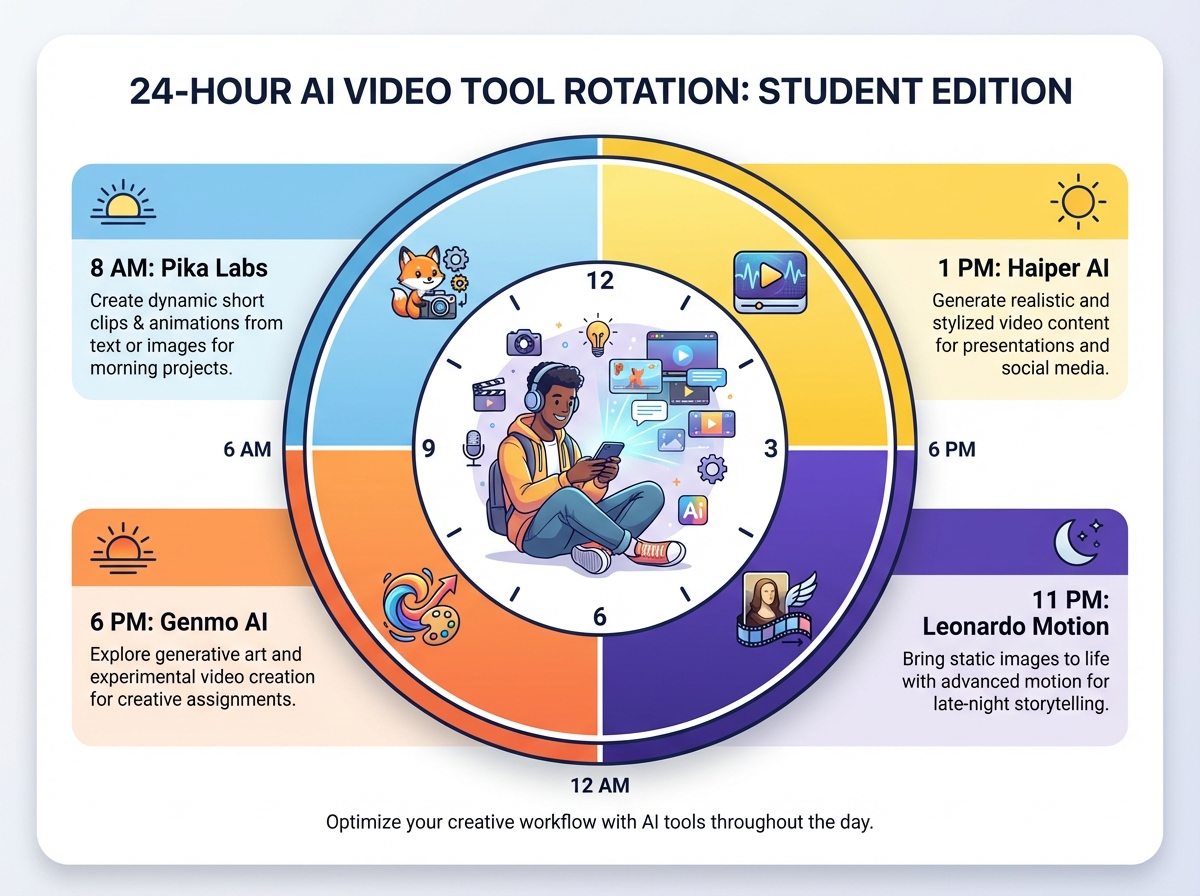
The secret to being a free AI video generator unlimited user isn't finding one magic tool—it's about "The Rotation."
The 2026 Student Rotation Workflow:
- Morning (8 AM): Use your 30 Pika credits for complex cinematic shots.
- Afternoon (1 PM): Use Haiper for realistic B-roll (5-10 clips).
- Evening (6 PM): Use Genmo for quick social media experiments and "Turbo" drafts.
- Late Night (11 PM): Use Leonardo Motion tokens for high-fidelity character work.
By rotating these budget-free AI video tools comparison winners, a student can generate over 50 high-quality clips per day—enough for 5-10 YouTube Shorts—without spending a paisa. YouTube Shorts automation guide
Ethical Note on Watermarks
While many search for best free AI video generator no watermark India, the reality is that watermarks are the "price" of free compute. Avoid "watermark remover" AI tools as they often violate Terms of Service (ToS) and can lead to account bans. Instead, design your video layout (e.g., adding a "News Overlay" or "Subtitles") to naturally incorporate or mask the watermark area legally.
6. Free AI Video Maker Students India: Beginner Workflows
For Indian students, the workflow must be mobile-first. Here is how to build a viral video using only free AI tools:
Step 1: The Script (Hinglish/English)
Use a free LLM to generate a script.
- Example Prompt: "Write a 30-second script for a travel reel about 'Hidden Gems in Hampi' in Hinglish."
Step 2: The Visuals (Pika/Haiper)
Use these Pika Labs India tutorial Hindi prompt templates:
- Template 1 (Cinematic): "Ancient Hampi ruins, golden hour, cinematic drone shot, 4k, slow motion."
- Template 2 (Atmospheric): "Rain falling on stone carvings, macro shot, hyper-realistic, 24fps."
Step 3: The Assembly (CapCut/Vn Editor)
Stitch your 3-5 second AI clips together. Add trending Indian music. Best YouTube Shorts editors for Android in India
Step 4: Scaling with Enterprise Tools
When your project grows from a "hobby" to a "startup," solutions like Studio by TrueFan AI demonstrate ROI through advanced analytics and the ability to generate hundreds of personalized videos for campus marketing campaigns instantly. Enterprise video analytics platform
7. Free B-roll Generator AI India: YouTube & Education
B-roll is the "filler" that makes videos professional. Instead of buying expensive stock footage from Getty or Shutterstock, use these tools as a free B-roll generator AI India.
- Nature/Landscape: Haiper is best for realistic water and wind motion.
- Tech/Abstract: Genmo excels at "Glitch" and "Cyberpunk" aesthetics. Genmo AI review for India
- Human Action: Pika’s "Action" prompts are superior for walking or gesturing.
Pro-Tip: Use Vmaker AI for automated B-roll suggestions based on your existing video transcripts.
8. Budget-Free AI Video Tools Comparison (Head-to-Head 2026)
| Feature | Pika Labs | Haiper AI | Genmo AI | Leonardo Motion |
|---|---|---|---|---|
| Free Credits | 30/Day | 10/Day | 100 "Fuel"/Day | 150 Tokens/Day |
| Watermark | Yes (Corner) | No (EDU Promo) | Yes (Subtle) | Yes |
| Max Duration | 4 Seconds | 4 Seconds | 6 Seconds | 4 Seconds |
| India Latency | Medium | Low (Fast) | Very Low | Medium |
| Hindi Fidelity | High | Medium | Medium | High |
| Commercial Use | No (Free Tier) | No | No | No |
Updated: October 2026. Always check Pika Pricing and Leonardo Pricing for real-time changes.
9. How Universities Leverage Student Creators via TrueFan AI
While students use free tools for individual creativity, Indian universities and brands are now using enterprise platforms to orchestrate these creators at scale.
The "Student Creator Program" model is booming in 2026. Universities use these programs to:
- Boost Enrollments: Using student-generated AI content for authentic campus tours.
- Compliance: Ensuring all AI content meets government regulations on deepfakes.
- Automation: Using Studio by TrueFan AI to create personalized "Welcome Videos" for every new student using AI avatars of the Dean or famous alumni. AI voice cloning for Indian accents
Enterprise/University? Power your student creator program with TrueFan—analytics, compliance, and automation at scale. Visit TrueFan AI to learn more.
Final Thoughts for the 2026 Creator
The battle of Pika Labs vs Haiper free comparison India 2026 is ultimately a win for the student. Never before has the barrier to entry for high-end cinematography been this low. By mastering the "Rotation Strategy" and staying updated on credit policies, you can build a professional portfolio for ₹0.
For those ready to transition from a student creator to a professional media house or brand manager, the path forward involves moving from "Free Tools" to "Integrated Platforms." Explore how TrueFan AI can transform your video strategy with ROI-driven metrics and ethical AI avatars.
Frequently Asked Questions
Is there any best free AI video generator with no watermark in India in 2026?
Truly "no watermark" tools are rare. However, Haiper often runs "No-Watermark" promotions for students with a .edu.in email address. Additionally, while free tools are great for B-roll, Studio by TrueFan AI is the preferred choice for enterprises needing consistent, high-quality AI avatars with zero watermarks for professional use. Voice cloning and emotion control in India
Can I use Hindi prompts in Pika and Haiper?
Yes. In 2026, both platforms have improved their NLP (Natural Language Processing) for Indian languages. For best results, use "Transliterated Hindi" (Hindi written in English script). For example: Ek ladka pahad par baitha hai, sunset background works better than the Devanagari script in most models.
Are these tools safe for low-end Android phones?
Absolutely. Since the rendering happens on cloud servers, your phone only acts as a remote control. With a stable 5G or Wi‑Fi connection, even a ₹10,000 smartphone can generate 4K-quality AI video.
Can I monetize AI videos on YouTube in India?
Yes, but with caveats. YouTube requires disclosure if "Altered or Synthetic Content" was used and appears realistic. Most free tiers do not grant commercial rights, so you typically cannot monetize them. Consider upgrading to paid plans for full legal monetization.
How do I avoid AI jitter in my videos?
Use the Negative Prompt feature and add terms like shaking, flickering, blurry, distorted, morphing. Also, keep Motion Strength between 3 and 5 for stability.
What is the best time to generate videos to avoid queues?
For Indian creators, the fastest generation times are usually between 5:00 AM and 9:00 AM IST, avoiding peak usage in both India and the United States.



